
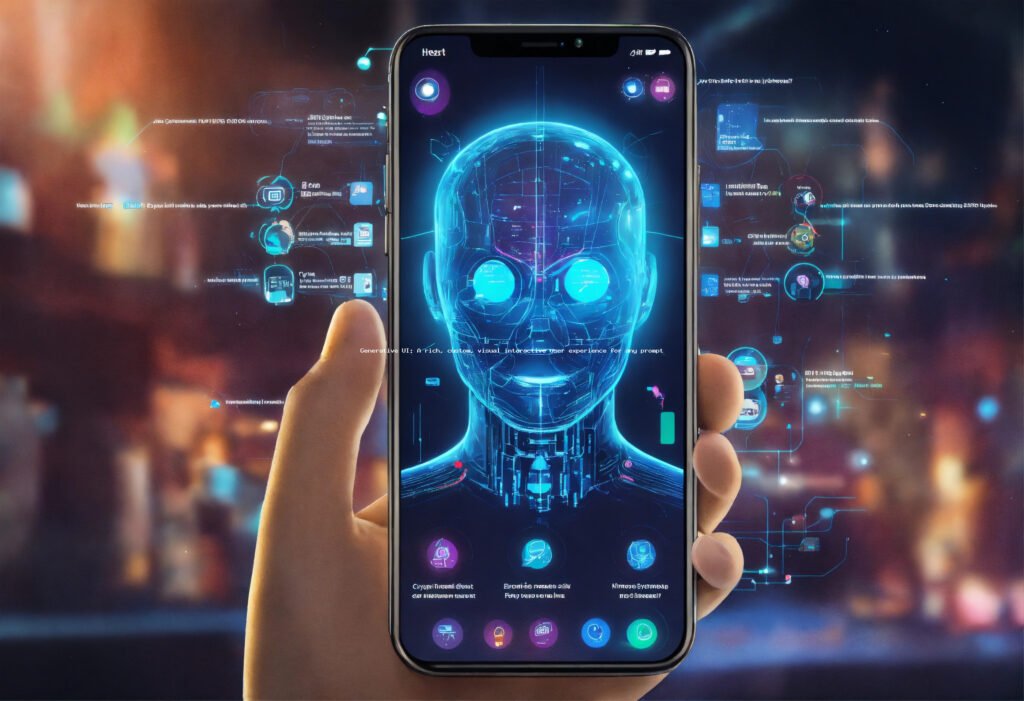
Generative UI: A rich, custom, visual interactive user experience for any prompt
Generative UI: A rich, custom, visual interactive user experience for any prompt
In the rapidly evolving landscape of artificial intelligence, few advancements hold as much promise and transformative potential as Generative UI. For decades, the creation of user interfaces has been a meticulous, often labor-intensive process, demanding a blend of artistic vision, technical skill, and a deep understanding of user psychology. Designers and developers have painstakingly crafted every button, every layout, every interaction, striving for experiences that are both beautiful and functional. While tools have evolved from static wireframes to dynamic prototyping platforms, the fundamental paradigm has remained largely the same: humans design, and humans implement. But what if the interface itself could be generated on demand, tailored precisely to a user’s intent, context, and even emotional state, simply from a natural language prompt? This is the core promise of Generative UI, and it represents a seismic shift in how we conceive, build, and interact with digital experiences.
Recent developments in large language models (LLMs) and advanced generative AI, particularly in text-to-image and text-to-code capabilities, have propelled Generative UI from theoretical concept to an emerging reality. Models like GPT-4, Midjourney, Stable Diffusion, and their specialized counterparts are not just generating compelling text or stunning visuals; they are increasingly capable of understanding complex instructions, reasoning about design principles, and even writing functional code. This fusion of AI capabilities means that a user could, in theory, type “Create a dashboard for a small business owner to track daily sales, show top-selling products, and highlight customer feedback, with a clean, modern aesthetic and dark mode option,” and an AI would instantly generate a fully interactive, visually consistent, and contextually appropriate user interface. This isn’t just about automating design; it’s about unlocking a new dimension of personalization and agility, where interfaces are fluid, adaptive, and born from intent rather than fixed blueprints. The implications for accessibility, rapid prototyping, and the democratization of sophisticated digital creation are profound, promising a future where rich, custom, interactive experiences are no longer a luxury, but an immediate, on-demand reality for anyone with a clear idea.
The Dawn of Dynamic Interfaces: What is Generative UI?
At its heart, Generative UI is a paradigm where artificial intelligence autonomously creates user interfaces and user experiences (UI/UX) based on high-level natural language prompts or contextual data. Unlike traditional UI design, which involves human designers meticulously crafting every element, or even low-code/no-code platforms that provide pre-built components for assembly, Generative UI empowers AI to *invent* and *construct* the interface from scratch. Imagine describing your desired application or a specific interaction scenario in plain English, and within moments, a fully functional, visually appealing, and interactive interface materializes on your screen. This goes beyond mere template selection; it involves the AI understanding the semantics of the request, inferring design principles, generating appropriate visual elements, arranging them logically, and even embedding interaction logic.
The “rich, custom, visual interactive user experience” aspect is paramount. Generative UI doesn’t just output static images or basic wireframes. It aims to deliver live, interactive components – buttons that respond, forms that validate, charts that update, and layouts that adapt. The “custom” aspect means the AI can tailor the design to specific brand guidelines, user preferences, accessibility needs, or even device constraints, all derived from the initial prompt or learned patterns. This involves a sophisticated interplay of various AI sub-disciplines: natural language processing to understand the prompt, computer vision to evaluate aesthetics and consistency, and code generation models to output functional front-end code (e.g., HTML, CSS, JavaScript frameworks like React or Vue). It’s a leap from simply assisting designers to actively participating in the creative process, offering a new frontier where design becomes a conversation with an intelligent system rather than a manual construction project. The focus shifts from drawing pixels to articulating intent, making the creation of complex digital experiences accessible to a much broader audience and accelerating the iterative design cycle to unprecedented speeds.
Beyond Static Designs: The Core Principles
Generative UI operates on several core principles that differentiate it from previous design methodologies. First, it emphasizes intent-driven design, where the user’s primary input is a description of *what* they want to achieve, rather than *how* it should look. Second, it leverages contextual awareness, allowing the AI to factor in user data, device types, time of day, or even emotional state to adapt the UI dynamically. Third, it promotes iterative refinement, where the initial AI-generated output serves as a starting point, which can then be refined and optimized through further prompts or direct human adjustments. This dynamic interplay ensures that the resulting interface is not only functional but also deeply aligned with user needs and aesthetic preferences. The ability to generate a complete visual and interactive experience from a simple prompt fundamentally redefines the design workflow, moving it from a manual, component-by-component assembly to a high-level, declarative process that significantly boosts efficiency and innovation.
Under the Hood: How Generative UI Works
The magic of Generative UI is not a single monolithic AI, but rather a complex orchestration of various advanced AI models and techniques working in concert. It’s a multi-stage process that begins with understanding user intent and culminates in a functional, interactive interface. Understanding these underlying mechanisms is key to appreciating its power and potential limitations.
Prompt Engineering for UI
The journey begins with the user’s natural language prompt. This isn’t just a simple keyword search; it’s often a detailed description outlining the purpose of the interface, its target audience, desired functionality, aesthetic preferences, and even specific components. For example, “Build an e-commerce product page for a sustainable clothing brand, featuring a large hero image, customer reviews section, clear ‘Add to Cart’ button, size selector, and a minimalist, earthy color palette.” The quality and specificity of this prompt are crucial, as they directly influence the AI’s ability to generate relevant and high-quality UI. This initial stage underscores the growing importance of “prompt engineering” not just for text or images, but for complex interactive systems.
AI Interpretation and Decomposition
Once the prompt is received, sophisticated Large Language Models (LLMs) come into play. These models, often fine-tuned for UI/UX contexts, parse the prompt to extract key entities, relationships, and design constraints. They decompose the request into actionable components: identifying necessary UI elements (e.g., buttons, input fields, images, navigation bars), inferring layout structures (e.g., hero section, product grid, sidebar), determining interaction patterns (e.g., form submissions, modal pop-ups), and interpreting stylistic cues (e.g., “minimalist,” “earthy color palette,” “dark mode”). This stage essentially translates human language into a structured, machine-readable design specification. This process might involve an internal knowledge base of UI patterns, design systems, and best practices that the AI has been trained on, allowing it to make intelligent design decisions even from ambiguous prompts.
Component Generation and Assembly
With the design specification in hand, the AI proceeds to generate the individual UI components and assemble them into a cohesive whole. This is where different generative models might be employed:
- Visual Generation Models: For image-heavy components or unique graphic elements, text-to-image models (like those behind DALL-E or Midjourney) can create custom icons, illustrations, or background textures based on descriptive prompts.
- Code Generation Models: For interactive elements and layout, specialized LLMs or code-generating AIs can write front-end code (HTML, CSS, JavaScript, or framework-specific code like React components, Vue templates, or Flutter widgets). These models have been trained on vast repositories of code, enabling them to produce syntactically correct and often semantically appropriate code snippets for various UI elements.
- Layout Engines: AI-powered layout engines take the generated components and arrange them according to inferred hierarchy, visual balance, and responsiveness principles. They might use algorithms to optimize for screen real estate, user flow, or visual weight, ensuring the interface is aesthetically pleasing and functional across different devices.
The assembly phase involves integrating these generated components, linking their functionalities, and applying the specified styling to create a unified and interactive interface. This might also include generating placeholder data or connecting to mocked APIs to demonstrate functionality.
Iteration and Refinement
Generative UI is rarely a one-shot process. The initial output serves as a baseline, which users can then refine through further prompts (“Make the ‘Add to Cart’ button larger and green,” “Change the font to a sans-serif style,” “Add a search bar to the navigation”). The AI continuously learns from these interactions, adjusting the design in real-time. This iterative feedback loop is critical for fine-tuning the interface to meet precise user requirements and preferences. Advanced systems might even incorporate user testing data or analytics to suggest improvements autonomously. This dynamic interaction makes the design process incredibly agile and responsive, allowing for rapid experimentation and optimization.
Integration and Deployment
Finally, the generated UI can be exported in various formats, ranging from high-fidelity prototypes to deployable front-end codebases. Some Generative UI platforms might offer direct integration with popular development environments or content management systems. The output can be a standalone web application, a mobile app interface, or a component library ready to be integrated into larger projects. The goal is to provide a seamless transition from prompt to production, significantly shortening the development lifecycle and democratizing access to complex UI creation. For example, a generated React component can be directly dropped into an existing React project, accelerating development time significantly. This capability is poised to transform how development teams approach front-end work, allowing them to focus on complex business logic rather than boilerplate UI creation. https://newskiosk.pro/tool-category/tool-comparisons/
Transformative Benefits and Use Cases
The advent of Generative UI heralds a new era of digital product development, bringing with it a plethora of transformative benefits that will reshape industries and redefine user experiences. Its ability to create rich, custom, and interactive interfaces from simple prompts isn’t just an incremental improvement; it’s a fundamental shift in how we approach design and development.
Unprecedented Speed and Agility
One of the most immediate and impactful benefits is the sheer speed at which interfaces can be created and iterated upon. Traditional UI design involves a lengthy process of wireframing, mockups, prototyping, and then hand-off to development. Generative UI compresses this cycle dramatically. Designers and product managers can rapidly test multiple design variations, explore different layouts, and iterate on user feedback almost instantly. This agility allows businesses to respond to market changes faster, launch new features quicker, and conduct more extensive A/B testing, ultimately leading to more effective and user-centric products. Imagine going from a concept to a functional prototype in minutes, not days or weeks. This acceleration is particularly valuable in fast-paced environments like startups and agile development teams, where time-to-market is a critical competitive advantage.
Hyper-Personalization at Scale
Generative UI unlocks true hyper-personalization, moving beyond simple content recommendations to dynamically generating entire interface layouts and interaction patterns tailored to individual users. Based on user data, preferences, device type, location, and even historical behavior, an AI can create a bespoke UI that optimizes for that specific user’s needs and goals. For example, an e-commerce site could generate unique product pages for different customer segments, highlighting features most relevant to them. For users with accessibility needs, the AI could automatically generate interfaces with larger text, high contrast, or simplified navigation, without requiring manual adjustments or specialized versions. This level of customization can significantly enhance user engagement, satisfaction, and conversion rates, making digital experiences feel truly intuitive and personal. https://7minutetimer.com/tag/markram/
Democratization of Design
By abstracting away the complexities of visual design and front-end coding, Generative UI empowers individuals without formal design or development training to create sophisticated digital interfaces. Small business owners, educators, researchers, and even hobbyists can articulate their needs in natural language and have a functional UI generated for them. This democratization lowers the barrier to entry for creating custom applications and tools, fostering innovation and enabling a broader range of ideas to come to fruition. It means that brilliant ideas are no longer bottlenecked by the availability or cost of specialized design and development talent, opening up new avenues for creativity and problem-solving across various domains.
Reducing Development Overhead
While not a complete replacement for front-end developers, Generative UI can significantly reduce the manual effort involved in coding UI components and layouts. Developers can leverage AI-generated code as a starting point, focusing their efforts on integrating complex business logic, optimizing performance, and refining intricate interactions. This shift allows development teams to be more productive and concentrate on higher-value tasks, accelerating product delivery and reducing overall development costs. The AI can handle the repetitive, boilerplate coding, freeing up human developers for more creative and challenging aspects of software engineering. This efficiency gain can be particularly impactful for large organizations managing numerous applications and interfaces.
Enhanced Accessibility
A significant benefit of Generative UI is its potential to bake accessibility into the core of interface creation. By training on accessible design principles and WCAG guidelines, AI can automatically generate UIs that meet specific accessibility standards, such as proper semantic HTML, keyboard navigability, color contrast ratios, and screen reader compatibility. This proactive approach ensures that digital products are inclusive from their inception, rather than requiring retrofitting accessibility features later in the development cycle. This not only benefits users with disabilities but also improves the overall usability for all users, making digital experiences more robust and universally accessible.
Key Use Cases
- E-commerce: Dynamic product pages, personalized shopping carts, custom landing pages for marketing campaigns.
- Internal Tools & Dashboards: Generating bespoke dashboards for specific departmental needs, project management interfaces, or data visualization tools.
- Education: Creating interactive learning modules, personalized quiz interfaces, or custom educational apps for specific curricula.
- Rapid Prototyping: Quickly visualizing ideas for client presentations, stakeholder feedback, or internal brainstorming sessions.
- Personal Assistants & AI Agents: Developing intuitive visual interfaces for interacting with complex AI systems, making them more approachable and functional.
- AR/VR Interfaces: Generating dynamic 3D interfaces that adapt to the user’s physical environment and interaction context in immersive experiences. https://newskiosk.pro/tool-category/upcoming-tool/
Navigating the Landscape: Challenges and Ethical Considerations
While the potential of Generative UI is immense, its widespread adoption is not without significant challenges and ethical considerations. As with any powerful technology, understanding these limitations is crucial for responsible development and deployment.
Maintaining Design Cohesion and Brand Identity
One of the primary challenges lies in ensuring that AI-generated UIs maintain a consistent brand identity and design language. Brands invest heavily in establishing a unique visual and interactive style. An AI, if not properly constrained or trained, might generate interfaces that are generic, off-brand, or inconsistent with existing design systems. The risk is that while individual components might be well-designed, the overall coherence and brand voice could be lost. This necessitates the development of robust AI models that can ingest and adhere to complex brand guidelines, style guides, and design tokens, turning them into hard constraints for the generative process. Human oversight and a strong design system backbone will remain critical to guide the AI’s creative output.
Complexity of Advanced Interactions
While Generative UI excels at creating standard UI patterns (forms, buttons, navigation), it can struggle with highly novel, complex, or nuanced interaction patterns. Creating truly innovative user experiences often requires a deep understanding of human psychology, creativity, and foresight that current AI models may not fully possess. For example, designing a complex data visualization that tells a specific story, or an unconventional gestural interface for an AR application, might still require significant human intervention. The AI is trained on existing patterns and best practices; breaking new ground in interaction design remains a domain where human ingenuity often leads. The challenge is to enable AI to not just replicate, but also to innovate in interaction design.
Performance and Optimization
AI-generated code, especially for front-end interfaces, might not always be the most performant, efficient, or secure. Developers often optimize code for speed, responsiveness, and minimal resource usage, which can be difficult for an AI to consistently achieve without explicit training or feedback loops. Generated code might be verbose, redundant, or follow sub-optimal architectural patterns. Furthermore, security vulnerabilities could inadvertently be introduced if the AI’s training data contained insecure code patterns or if it generates code without robust security considerations. Rigorous testing, code reviews, and human refactoring will likely remain essential to ensure the quality and robustness of AI-generated interfaces, especially for production environments. https://7minutetimer.com/tag/markram/
Bias in Training Data
Like all AI models, Generative UI systems are susceptible to biases present in their training data. If the datasets used to train these models predominantly feature UIs designed for specific demographics, cultures, or interaction styles, the AI may perpetuate these biases in its generated designs. This could lead to interfaces that are less usable, less intuitive, or even alienating for diverse user groups. For instance, if the training data is heavily skewed towards Western design principles, an AI might struggle to generate UIs that resonate with users from different cultural backgrounds. Addressing this requires diverse and inclusive training datasets, as well as mechanisms for detecting and mitigating bias in the generative process.
The Evolving Role of Human Designers and Developers
Perhaps one of the most significant considerations is the impact on human designers and developers. While Generative UI is unlikely to completely replace these roles, it will undoubtedly transform them. Designers may shift from pixel-pushing to prompt engineering, curation, and strategic oversight. Developers might spend less time on boilerplate code and more on integrating complex systems, optimizing AI-generated output, and tackling challenging architectural problems. This necessitates a significant upskilling and adaptation for professionals in the field. The human element will become more about guiding, refining, and innovating on top of AI-generated foundations, rather than starting from a blank canvas. This evolution requires a proactive approach to education and training within the tech industry.
The Future is Interactive: Impact and Outlook
Generative UI is poised to fundamentally reshape the digital landscape, impacting everything from individual creators to large enterprises. Its future trajectory suggests a world where interfaces are not just static constructs but dynamic, intelligent entities that adapt and evolve with us.
Redefining the Design Workflow
The most immediate impact will be on the design workflow. The era of meticulously crafting every element by hand will gradually give way to a process of prompt-driven creation, curation, and refinement. Designers will transition from being primarily creators to being orchestrators, guiding AI models with high-level directives and then finessing the generated output. This shift will free up designers from repetitive tasks, allowing them to focus on higher-order problems like strategic design thinking, user research, complex interaction patterns, and ensuring brand consistency. The design process will become significantly faster and more agile, enabling rapid experimentation and a higher volume of design iterations. This will also blur the lines between design and development, as AI can generate both visual mockups and functional code almost simultaneously, fostering a more integrated and collaborative approach within teams.
Emergence of New Tools and Platforms
We are already seeing the early stages of specialized Generative UI tools emerging, and this trend will accelerate. These platforms will move beyond generic generative AI to offer highly specialized capabilities for UI/UX creation. They will integrate sophisticated prompt engineering interfaces, provide extensive libraries of design components, allow for seamless integration with existing design systems, and offer advanced capabilities for iterating and exporting production-ready code. Expect these tools to become integral parts of the software development lifecycle, offering features like automatic accessibility checks, performance optimization suggestions, and even A/B testing integration. The competition among these platforms will drive innovation, making Generative UI more powerful and accessible to a wider audience. We might see platforms that specialize in specific domains, such as Generative UI for enterprise dashboards or Generative UI for mobile gaming interfaces, each optimized for its unique requirements. https://newskiosk.pro/tool-category/how-to-guides/
Convergence with Other AI Fields
The true power of Generative UI will be unlocked as it converges with other advanced AI fields. Imagine a Generative UI system that incorporates:
- Multimodal AI: Understanding not just text prompts, but also sketches, voice commands, or even eye-tracking data to generate interfaces.
- Emotional AI: Adapting the UI’s aesthetic or interaction style based on a user’s inferred emotional state.
- Context-Aware AI: Dynamically reconfiguring the UI based on time of day, location, device, surrounding environment (e.g., in AR/VR), or even current tasks.
- Reinforcement Learning: UI systems that learn from user interactions and feedback to continuously optimize and improve their design outputs autonomously over time, leading to truly adaptive interfaces.
This convergence will lead to truly intelligent and empathetic interfaces that are not just custom, but truly adaptive and anticipatory, creating a seamless and deeply personalized digital experience that almost feels intuitive. The interface will no longer be a static window but an active participant in the user’s journey.
The Era of Adaptive Interfaces
Ultimately, Generative UI will usher in an era of adaptive interfaces. These are not merely responsive interfaces that adjust to screen size, but intelligent systems that dynamically reconfigure their layout, content, and interaction models based on real-time data and user needs. The UI will become a living entity, constantly learning and evolving. From smart home interfaces that anticipate your needs to enterprise software that customizes itself for each employee’s daily tasks, the future holds promise for digital environments that are inherently intuitive and deeply integrated into our lives. This means less time spent navigating complex menus and more time directly engaging with the information and functions that matter most, making technology truly serve human intent. https://7minutetimer.com/tag/aban/
Implications for Developers and Designers
For developers, the focus will shift from building every component to integrating, validating, and optimizing AI-generated code. New roles like “AI-assisted developer” or “UI generation engineer” may emerge. For designers, the emphasis will be on strategic thinking, prompt engineering, and ensuring the AI’s output aligns with user needs and brand identity. Both professions will require continuous learning and adaptation to leverage these powerful new tools effectively, fostering a new era of human-AI collaboration in creation.
Comparison of Generative UI Approaches and Tools
The landscape of Generative UI is diverse, with various tools and techniques offering different levels of automation and control. Here’s a comparison of some prominent approaches:
| Tool/Technique | Primary Focus | Generative UI Capability | Pros | Cons |
|---|---|---|---|---|
| OpenAI DALL-E/Midjourney (Visual AI) | Image generation from text | Visual mockups, graphic elements, icons, background textures based on prompts. Can inspire UI. | Highly creative visual output, excellent for aesthetics and unique graphics. | Generates static images, no inherent interactivity or code. Requires manual translation to UI. |
| GitHub Copilot / Tabnine (Code-centric AI) | Code completion & generation | Assists developers in writing UI code (HTML, CSS, JS, framework components) based on comments/context. | Accelerates coding, integrates into IDEs, generates functional code snippets. | Requires developer input, doesn’t generate full UI from scratch, limited visual reasoning. |
| Figma (with AI Plugins) | Collaborative UI/UX design | Plugins can generate design elements, re-layout components, or suggest styling based on prompts within Figma. | Integrates into existing design workflows, leverages a powerful design ecosystem. | Plugin-dependent, still largely design-centric, not fully interactive code generation from prompt. |
| Vercel’s AI SDK / Next.js AI Playground (Framework-based) | Building AI-powered web applications | Provides tools and examples for generating UI components (e.g., chat interfaces, forms) using LLMs and React. | Focus on full-stack integration, generates deployable web components, production-ready. | Requires developer expertise in frameworks, more boilerplate than pure prompt-to-UI. |
| Specialized Text-to-UI Platforms (e.g., Uizard, Galileo AI) | End-to-end UI generation from text/sketches | Generates interactive prototypes and often front-end code from natural language descriptions or hand-drawn sketches. | High automation, fast prototyping, aims for full interactivity and code output. | May have limitations on design customization, potentially generic output without fine-tuning, still evolving. |
Expert Tips for Leveraging Generative UI
- Master Prompt Engineering: The quality of your Generative UI output directly correlates with the clarity and specificity of your prompts. Learn to articulate your needs precisely, including functionality, aesthetics, and constraints.
- Embrace Iteration: Don’t expect perfect results on the first try. Use Generative UI as an iterative tool, providing feedback and refinement prompts to guide the AI towards your vision.
- Combine with Human Oversight: Generative UI is a powerful assistant, not a replacement. Always review, refine, and apply human judgment to the AI’s output to ensure quality, brand consistency, and user-centricity.
- Understand AI Limitations: Be aware of what your chosen Generative UI tool excels at and where it struggles. It might be great for standard layouts but less so for highly novel interactions.
- Prioritize User Feedback: Even with AI-generated interfaces, real user feedback is invaluable. Use the speed of Generative UI to quickly create prototypes for user testing and incorporate their insights.
- Design for Accessibility from the Start: Include accessibility requirements in your initial prompts. Generative AI has the potential to bake in inclusive design principles, reducing rework later.
- Leverage Existing Design Systems: Feed your AI with your brand’s design system (components, colors, typography) as constraints to ensure generated UIs maintain brand identity and consistency.
- Explore Different Models/Tools: The Generative UI landscape is evolving rapidly. Experiment with various platforms and models to find the best fit for different types of projects and desired outcomes.
- Focus on the “Why”: Let the AI handle the “how” (the design and code generation), while you focus on the “why” – the strategic goals, user needs, and business objectives of the interface.
- Stay Updated with Research: The field is moving quickly. Keep an eye on new papers, tools, and advancements to stay ahead of the curve and integrate the latest capabilities into your workflow.
Frequently Asked Questions (FAQ)
What is Generative UI?
Generative UI refers to the use of artificial intelligence to autonomously create user interfaces and user experiences (UI/UX) based on natural language prompts, contextual data, or design specifications. It goes beyond templates by generating unique visual layouts, interactive components, and even functional code from scratch, tailored to specific requirements.
How is Generative UI different from traditional UI design?
Traditional UI design is a human-centric process involving manual creation of wireframes, mockups, and prototypes. Generative UI automates much of this process, allowing AI to interpret intent and generate interfaces, significantly accelerating design and development cycles. While human designers craft every detail, Generative UI empowers AI to “invent” and “construct” based on high-level instructions.
Will Generative UI replace human designers and developers?
It’s highly unlikely to completely replace human designers and developers. Instead, Generative UI will transform their roles. Designers will become more focused on strategic thinking, prompt engineering, curating AI outputs, and ensuring brand consistency. Developers will focus on integrating AI-generated code, optimizing performance, and tackling complex business logic. It’s an augmentation, not a substitution.
What are the main challenges for Generative UI?
Key challenges include maintaining design cohesion and brand identity, handling complex or novel interaction patterns, ensuring the performance and security of AI-generated code, mitigating biases from training data, and adapting the human workforce to these new tools and workflows.
What programming languages and frameworks does Generative UI typically support?
Generative UI systems are increasingly capable of generating code for popular front-end technologies such as HTML, CSS, JavaScript (often with modern frameworks like React, Vue, or Angular), and sometimes even mobile-specific frameworks like Flutter or Swift UI. The specific output depends on the underlying AI model’s training and the platform’s capabilities.
Is Generative UI ready for enterprise adoption?
While still an evolving field, Generative UI is rapidly maturing. Many specialized platforms are already capable of generating high-fidelity prototypes and functional components suitable for enterprise use, particularly for internal tools, dashboards, and rapid experimentation. Full-scale, production-ready enterprise adoption requires careful integration with