
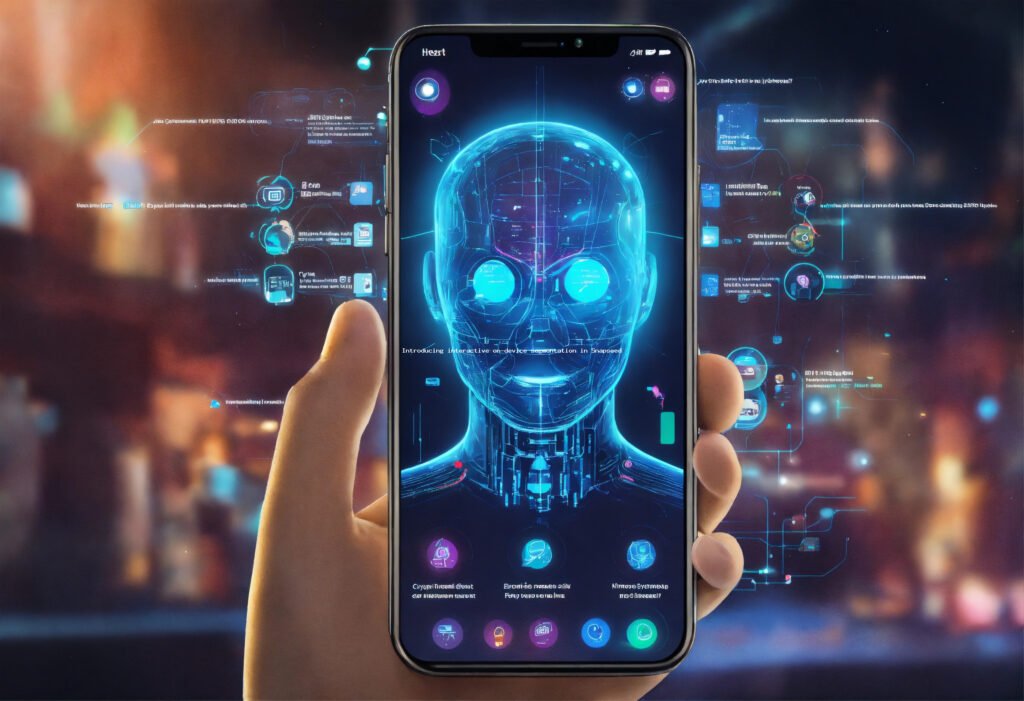
Introducing interactive on-device segmentation in Snapseed
Introducing interactive on-device segmentation in Snapseed
The landscape of artificial intelligence continues its relentless march forward, pushing the boundaries of what’s possible, especially in the realm of visual media processing. One of the most significant and transformative advancements we’ve witnessed recently is the democratization of sophisticated AI capabilities, moving them from the exclusive domain of cloud-based servers to the privacy and immediacy of our personal devices. Image segmentation, a core computer vision task, exemplifies this evolution perfectly. Historically, segmenting an image—identifying and isolating specific objects or regions at a pixel level—required significant computational power, typically handled by powerful data centers. This often meant uploading your images to a server, processing them, and then downloading the results, introducing latency, privacy concerns, and reliance on internet connectivity. However, the paradigm is rapidly shifting. Thanks to breakthroughs in efficient neural network architectures, specialized mobile AI accelerators, and optimized inference engines, complex AI models can now run directly on your smartphone or tablet with remarkable speed and accuracy. This transition isn’t just about convenience; it’s a fundamental change that empowers users with real-time feedback, enhanced privacy, and the ability to work offline, opening up a new frontier for creative applications.
The importance of this shift cannot be overstated. From augmented reality experiences that dynamically interact with your surroundings to advanced camera features that intelligently understand scene composition, on-device AI is becoming the backbone of next-generation mobile applications. It’s particularly impactful in photo editing, where precision and immediacy are paramount. Imagine being able to isolate a subject, a sky, or a specific object within an image with just a tap, and then apply targeted adjustments, all without ever leaving your device or waiting for a server roundtrip. This is precisely the kind of power that interactive on-device segmentation brings. It transforms a formerly tedious, manual process into an intuitive, AI-accelerated workflow. This development is not merely an incremental improvement; it’s a quantum leap that makes professional-grade editing accessible to everyone, from casual photographers to seasoned content creators. The move towards on-device processing also aligns perfectly with growing privacy concerns, as personal data remains securely on the user’s device, eliminating the need to transmit sensitive images to third-party servers. It’s a testament to the relentless innovation in AI research and engineering, constantly striving to deliver more powerful, personal, and private user experiences.
The Dawn of On-Device AI: Why Segmentation Matters
What is Image Segmentation?
At its core, image segmentation is the process of partitioning a digital image into multiple segments (sets of pixels, also known as superpixels). The goal is to simplify and/or change the representation of an image into something more meaningful and easier to analyze. Unlike object detection, which draws bounding boxes around objects, or image classification, which assigns a single label to an entire image, segmentation aims for pixel-level understanding. It asks, “Which pixels belong to the object, and which pixels belong to the background?” There are two primary types: semantic segmentation, which classifies each pixel into a predefined category (e.g., ‘person’, ‘car’, ‘sky’), and instance segmentation, which not only classifies pixels but also distinguishes between individual instances of the same category (e.g., ‘person A’, ‘person B’). This granular level of understanding is crucial for a myriad of applications, from medical imaging analysis and autonomous vehicles to augmented reality and, of course, advanced photo editing.
For photographers and content creators, accurate image segmentation is the holy grail. It enables precise, localized adjustments that were once the exclusive domain of masking tools in professional desktop software, requiring painstaking manual effort. Imagine being able to subtly brighten only the subject’s face, change the color of a specific piece of clothing, or completely replace a drab background with a vibrant new one, all while maintaining pixel-perfect edges. This level of control opens up immense creative possibilities, allowing users to transform their images in ways that were previously impractical or impossible for the average mobile user. The ability of AI to automatically identify and delineate these regions is a game-changer, reducing editing time from minutes or hours to mere seconds, democratizing advanced visual manipulation for the masses.
The Shift to On-Device Processing
The traditional approach to AI-powered segmentation involved sending images to powerful cloud servers where large, complex models could run. While effective, this method introduces several limitations: latency, reliance on internet connectivity, and significant privacy implications as personal data leaves the user’s device. The shift to on-device processing directly addresses these challenges. Modern mobile processors, equipped with dedicated neural processing units (NPUs) or AI accelerators, are now capable of executing sophisticated deep learning models with remarkable efficiency. This has been made possible by innovations in model compression techniques (like quantization and pruning), efficient neural network architectures (such as MobileNet, EfficientNet, and others optimized for edge devices), and highly optimized inference frameworks. The result is AI that operates in real-time, directly on your device, offering instant feedback and a seamless user experience. This paradigm shift is not just about speed; it’s about empowerment. Users gain control, privacy, and the freedom to create anywhere, anytime, without being tethered to an internet connection.
Unveiling Snapseed’s Interactive On-Device Segmentation
Precision at Your Fingertips
Snapseed, Google’s powerful and popular mobile photo editor, has long been a favorite among enthusiasts and professionals alike for its comprehensive suite of editing tools. With the introduction of interactive on-device segmentation, Snapseed is once again raising the bar, integrating cutting-edge AI directly into its workflow. This new feature allows users to precisely select and isolate specific elements within an image, such as people, objects, backgrounds, or even distinct parts of a scene, with unprecedented ease and accuracy. The “interactive” aspect is key here. Unlike static, one-shot segmentation algorithms, Snapseed’s implementation provides real-time feedback as you refine your selection, allowing for nuanced adjustments and immediate visual confirmation of the segmented area. This fluidity is crucial for creative work, enabling experimentation without the frustration of delays or guesswork. The underlying AI model works diligently in the background, analyzing the image content and understanding its composition to offer intelligent suggestions for segmentation masks. Users can then fine-tune these masks with simple gestures, adding or subtracting areas to achieve pixel-perfect selections. This combination of AI automation and human control represents the pinnacle of intuitive user experience in mobile photo editing.
Core Functionality and User Experience
The user experience of Snapseed’s interactive on-device segmentation is designed to be as intuitive as possible, even for complex tasks. Upon selecting the segmentation tool, the AI quickly analyzes the image and may suggest common segments like “person,” “sky,” or “background.” Users can then tap on these suggestions to instantly generate a mask. From there, the interactivity truly shines. Using touch gestures, users can paint over areas to expand the selection or erase parts of the mask to refine it. The on-device processing ensures that these adjustments are reflected instantaneously, providing a fluid and responsive editing environment. This eliminates the tedious process of manually tracing outlines, which is often imprecise and time-consuming on a small screen. Once a precise mask is created, it can be used with any of Snapseed’s existing powerful tools—from selective adjustments like brightness, contrast, and saturation to more advanced modifications such as healing, brushes, and even double exposure. This integration means that the segmentation isn’t just a standalone feature; it’s a foundational layer that enhances the utility and precision of nearly every other editing capability within the app. The ability to perform such granular edits on specific parts of an image, all within the confines of your mobile device, signifies a major leap forward in accessibility and creative control for mobile photographers. https://newskiosk.pro/tool-category/how-to-guides/
Under the Hood: The Technical Marvel of Snapseed’s Implementation
AI Model Optimization for Mobile
The secret sauce behind Snapseed’s interactive on-device segmentation lies in highly optimized AI models specifically engineered for mobile hardware. This isn’t about running a scaled-down version of a desktop model; it’s about fundamental architectural design choices and rigorous optimization. Developers utilize lightweight convolutional neural networks (CNNs) that balance accuracy with computational efficiency. Techniques like depthwise separable convolutions, which significantly reduce the number of parameters and operations compared to standard convolutions, are often employed. Furthermore, model quantization plays a crucial role. This process reduces the precision of the numbers used to represent a neural network’s weights and activations (e.g., from 32-bit floating-point numbers to 8-bit integers) without a significant loss in accuracy. This drastically shrinks the model size and speeds up inference, making it feasible to run in real-time on resource-constrained mobile devices. Coupled with hardware-specific optimizations that leverage mobile NPUs (Neural Processing Units) or AI accelerators present in modern chipsets, these models can achieve impressive performance metrics, delivering segmentation results in milliseconds. The goal is to provide a desktop-like experience on a mobile platform, and these underlying technical advancements are what make that vision a reality. https://7minutetimer.com/tag/aban/
Real-time Processing Challenges and Solutions
Achieving real-time, interactive segmentation on a mobile device presents a unique set of challenges. Mobile devices have finite battery life, limited memory, and less raw computational power compared to dedicated workstations or cloud servers. The key to overcoming these hurdles lies in a multi-faceted approach. Firstly, the selection of an appropriate backbone architecture for the segmentation model is critical. Architectures like MobileNetV3 or EfficientNet are designed with mobile constraints in mind, offering excellent performance per watt. Secondly, efficient inference frameworks are essential. Google’s own TensorFlow Lite, for example, is specifically built to deploy machine learning models on mobile, embedded, and IoT devices, providing optimized kernels and support for various hardware accelerators. Thirdly, the interactive nature demands not just speed, but also robustness. The model must be able to handle varying lighting conditions, object poses, and image qualities without degradation in performance. This often involves extensive training on diverse datasets and continuous fine-tuning. Finally, the user interaction loop itself needs to be carefully designed. When a user makes a refinement, the system shouldn’t re-run the entire segmentation from scratch. Instead, it might employ techniques like incremental updates or localized re-segmentation within the refined area, ensuring that the feedback is immediate and seamless. This intricate dance between efficient AI models, optimized software, and clever interaction design is what makes Snapseed’s new feature a true technical marvel.
Redefining Mobile Photo Editing and Creative Workflows
Empowering Casual Users and Professionals
The introduction of interactive on-device segmentation in Snapseed represents a significant democratization of advanced photo editing capabilities, benefiting both casual users and seasoned professionals. For the everyday smartphone photographer, this feature eliminates the intimidation factor associated with complex masking and selection tools. Instead of wrestling with intricate paths or magic wands, they can now achieve sophisticated edits with simple taps and gestures. This means more creative freedom to enhance portraits, stylize landscapes, or correct imperfections with precision that was previously out of reach. For professionals, while they might have access to desktop software, the ability to perform precise segmentation and targeted adjustments on the go, directly from their mobile device, significantly streamlines their workflow. They can make client-ready adjustments during a commute, quickly prepare social media content, or make last-minute tweaks without needing a laptop. This efficiency translates into saved time and increased productivity, allowing them to focus more on the creative vision rather than the technical minutiae of masking. It bridges the gap between quick snapshots and polished masterpieces, empowering a broader spectrum of users to realize their artistic potential. https://newskiosk.pro/tool-category/tool-comparisons/
Use Cases and Creative Potential
The applications of Snapseed’s interactive on-device segmentation are vast and open up a plethora of creative possibilities:
- Portrait Enhancement: Easily select subjects to brighten faces, smooth skin, enhance eye color, or apply background blur without affecting the foreground.
- Sky Replacement/Enhancement: Instantly isolate the sky to replace it with a more dramatic one, adjust its color and contrast, or add atmospheric effects without touching the foreground elements.
- Object Manipulation: Select specific objects to change their color, remove them entirely (when combined with healing tools), or apply unique textures.
- Selective Color Grading: Isolate specific colors or objects to fine-tune their hue, saturation, and luminance, creating striking visual effects.
- Background Alterations: Beyond blurring, users can desaturate backgrounds to make subjects pop, apply artistic filters to the background, or even subtly change its tone to match the subject’s mood.
- Compositing Elements: While Snapseed isn’t a full compositing tool, precise segmentation lays the groundwork for more sophisticated mobile compositing by allowing isolated elements to be easily layered or blended.
This feature transforms Snapseed from a powerful editor into a truly intelligent creative companion, understanding the content of your images and providing the tools to manipulate them with unparalleled precision and ease. The speed and interactivity mean that experimentation is encouraged, leading to more innovative and personalized results for every user. The potential for creative expression is truly limitless when AI handles the tedious work, allowing human creativity to flourish. Get ready to explore a new dimension of mobile photography with Snapseed.
📥 Download Full Report
Snapseed’s Innovation in the Competitive Landscape
Comparing On-Device Performance
In the rapidly evolving world of mobile photo editing, Snapseed’s introduction of interactive on-device segmentation positions it at the forefront of AI innovation. While many other apps offer some form of AI-powered selection or background removal, the key differentiator here is the combination of “interactive” and “on-device.” Cloud-based solutions, like those found in some professional desktop software or web-based tools, can often achieve very high accuracy, but they are inherently limited by internet speed and incur privacy risks. Other mobile apps might offer one-tap segmentation, but they often lack the interactive refinement capabilities, leading to less precise results or a frustrating user experience when corrections are needed. Snapseed’s approach leverages the dedicated neural engines in modern smartphones to perform complex segmentation tasks locally, in real-time, and with a high degree of accuracy. This means users don’t experience the lag associated with sending data to and from a server, and their images never leave their device, ensuring maximum privacy. The performance is not just about speed; it’s about the seamless integration into the editing flow, making the AI feel like an extension of the user’s intent rather than a separate, clunky process. This focus on real-time, private, and interactive on-device AI sets a new benchmark for mobile photo editors. https://7minutetimer.com/web-stories/learn-how-to-prune-plants-must-know/
The Snapseed Advantage
Snapseed’s long-standing reputation for powerful, non-destructive editing tools, combined with its user-friendly interface, provides a strong foundation for this new feature. The Snapseed advantage isn’t just the segmentation itself, but how seamlessly it integrates into the app’s existing ecosystem. Once an element is segmented, it can be immediately manipulated using any of Snapseed’s vast array of tools, from brushes and selective adjustments to healing and perspective tools. This integration means the segmentation isn’t a final step, but a powerful precursor to more nuanced and creative edits. Furthermore, Snapseed’s commitment to providing professional-grade features for free, without subscriptions or in-app purchases, makes this advanced AI capability accessible to a broader audience than many of its competitors. This commitment to accessibility, coupled with Google’s deep expertise in AI research and development, ensures that Snapseed will continue to push the boundaries of what’s possible in mobile photo editing. The continuous refinement of its underlying AI models, along with user feedback, promises even more sophisticated and precise segmentation capabilities in the future, solidifying Snapseed’s position as a leader in on-device AI-powered creative tools. https://newskiosk.pro/tool-category/tool-comparisons/
Comparison of AI Segmentation Techniques
To better understand Snapseed’s innovation, let’s look at how different AI segmentation approaches stack up.
| Feature | Snapseed (On-Device, Interactive) | Adobe Photoshop (Cloud-based, Desktop) | Semantic Segmentation (General ML Model) | Instance Segmentation (General ML Model) | Other Mobile Editors (Basic On-Device) |
|---|---|---|---|---|---|
| Processing Location | On-device (smartphone/tablet) | Cloud-based (servers) | Varies (often cloud for training, edge for inference) | Varies (often cloud for training, edge for inference) | On-device (smartphone/tablet) |
| Interactivity & Refinement | High, real-time user feedback with manual adjustments | High, but with potential latency; extensive manual tools | Low to none; typically outputs a fixed mask | Low to none; typically outputs fixed masks for instances | Moderate; often limited manual refinement or less responsive |
| Privacy | High, data stays on device | Moderate, data transmitted to cloud | Depends on model deployment (on-device = high, cloud = moderate) | Depends on model deployment (on-device = high, cloud = moderate) | High, data stays on device |
| Offline Capability | Full, no internet required | Limited/None for AI features | Depends on model deployment (on-device = full, cloud = none) | Depends on model deployment (on-device = full, cloud = none) | Full, no internet required |
| Granularity & Precision | Good for common objects/background; pixel-level | Excellent, highly detailed, professional-grade | Pixel-level classification for predefined categories | Pixel-level + unique ID for each object instance | Fair to good; may struggle with complex edges |
| Typical Use Case | Quick, precise mobile photo edits and creative enhancements | Professional image manipulation, graphic design, complex compositing | Scene understanding, autonomous driving perception, medical imaging | Object detection, counting, tracking, robot perception | Basic background removal, quick subject selection |
Expert Tips for Mastering Snapseed’s Interactive Segmentation
- Start with Clear Subjects: For optimal results, begin with images where your intended subject is relatively clear and well-defined against its background.
- Utilize AI Suggestions: Let Snapseed’s AI do the heavy lifting first. Tap on the suggested segments (e.g., ‘Person’, ‘Sky’) to get a strong initial mask.
- Refine with Precision Brushes: Don’t hesitate to zoom in and use the add/subtract brushes for pixel-level adjustments. This is where the “interactive” aspect truly shines.
- Combine with Other Tools: Once segmented, leverage Snapseed’s full suite of tools. For instance, segment a person, then use the “Portrait” tool or “Selective” adjustments for targeted enhancements.
- Experiment with Backgrounds: Segment the background and try different effects like blur, desaturation, or even slight color shifts to make your subject pop.
- Layer Edits for Complex Scenes: For images with multiple distinct elements, segment and edit one element, then apply other adjustments or re-segment another area for a multi-layered approach.
- Understand Lighting: The AI performs best when there’s good contrast and clear distinction between elements. Harsh shadows or overexposed areas can sometimes confuse the model.
- Practice Makes Perfect: Like any powerful tool, mastering interactive segmentation takes practice. Experiment with various images and scenarios to understand its capabilities and limitations.
- Mind Your Edges: Pay close attention to hair and fine details. While the AI is excellent, sometimes a manual touch-up around intricate edges can make a significant difference.
- Leverage Non-Destructive Editing: Remember that Snapseed allows you to undo or modify previous edits. Don’t be afraid to experiment, knowing you can always revert or adjust your segmentation mask.
Frequently Asked Questions (FAQ)
What exactly is “on-device” segmentation?
On-device segmentation refers to the process where the artificial intelligence model performs image segmentation directly on your smartphone or tablet’s processor, rather than sending the image data to a remote cloud server for processing. This ensures faster results, enhanced privacy, and the ability to work offline.
How does interactive segmentation differ from one-tap background removal?
While one-tap background removal typically provides a single, fixed mask, interactive segmentation allows you to actively refine and adjust the AI-generated mask in real-time. You can add or subtract areas with precision brushes, giving you much finer control over the selection and enabling more complex, nuanced edits.
Is this feature available on all devices that run Snapseed?
While Snapseed is widely available, the performance and availability of advanced on-device AI features like interactive segmentation can depend on your device’s hardware, specifically its neural processing unit (NPU) or AI accelerator. Newer, more powerful smartphones will generally offer the best and most consistent experience.
What are the main benefits of using Snapseed’s new segmentation feature?
The primary benefits include unparalleled precision in selecting image elements, real-time feedback during editing, enhanced privacy as images remain on your device, the ability to edit offline, and a significant boost to creative flexibility by allowing targeted adjustments to specific parts of an image.
How accurate is the AI segmentation?
The AI segmentation in Snapseed is remarkably accurate, especially for common objects like people, skies, and well-defined backgrounds. It leverages Google’s advanced AI research. While it performs exceptionally well, highly complex scenes with intricate details or poor lighting might require more manual refinement, which the interactive tools readily support.
Does using on-device AI segmentation consume a lot of battery?
Running complex AI models on-device can consume more battery than simpler editing tasks. However, the models are highly optimized for efficiency, and modern smartphone chipsets are designed to handle these workloads effectively. For casual use, the battery impact should be manageable, but extended heavy use might deplete your battery faster.
The Road Ahead: Future Possibilities and AI Evolution
The introduction of interactive on-device segmentation in Snapseed is more than just a new feature; it’s a glimpse into the future of mobile creativity and the ever-expanding capabilities of edge AI. This advancement lays the groundwork for even more sophisticated tools. We can anticipate future iterations that offer even finer-grained segmentation, capable of distinguishing between individual strands of hair, specific articles of clothing, or complex textures within an object. The evolution could also extend to video segmentation, allowing users to apply real-time effects or background changes to their mobile videos with the same ease and precision. Imagine isolating a person in a video and changing their outfit’s color as they move, all processed instantly on your device. Furthermore, as AI models become even more efficient and hardware capabilities grow, we might see seamless integration with augmented reality applications, where real-world objects are intelligently understood and manipulated in live camera views. This technology also sets a precedent for other app developers, pushing the entire industry towards more powerful, private, and interactive on-device AI experiences. Snapseed is not just enhancing photo editing; it’s catalyzing a broader shift in how we interact with and create digital content on our mobile devices. The journey of AI is one of continuous innovation, and Snapseed’s latest offering is a shining example of this relentless progress, promising an exciting future for mobile creativity. https://7minutetimer.com/
Snapseed’s interactive on-device segmentation marks a pivotal moment for mobile photo editing, blending sophisticated AI with intuitive user control. This powerful feature democratizes professional-grade editing, empowering users to achieve stunning results with unprecedented speed and privacy. We encourage you to dive in and experience this transformative tool firsthand. For a deeper dive into the technical aspects and to keep this information handy, please download our comprehensive PDF guide:
📥 Download Full Report
. Don’t forget to explore our shop for other cutting-edge AI tools and resources that can further enhance your creative workflow:
🔧 AI Tools
.