
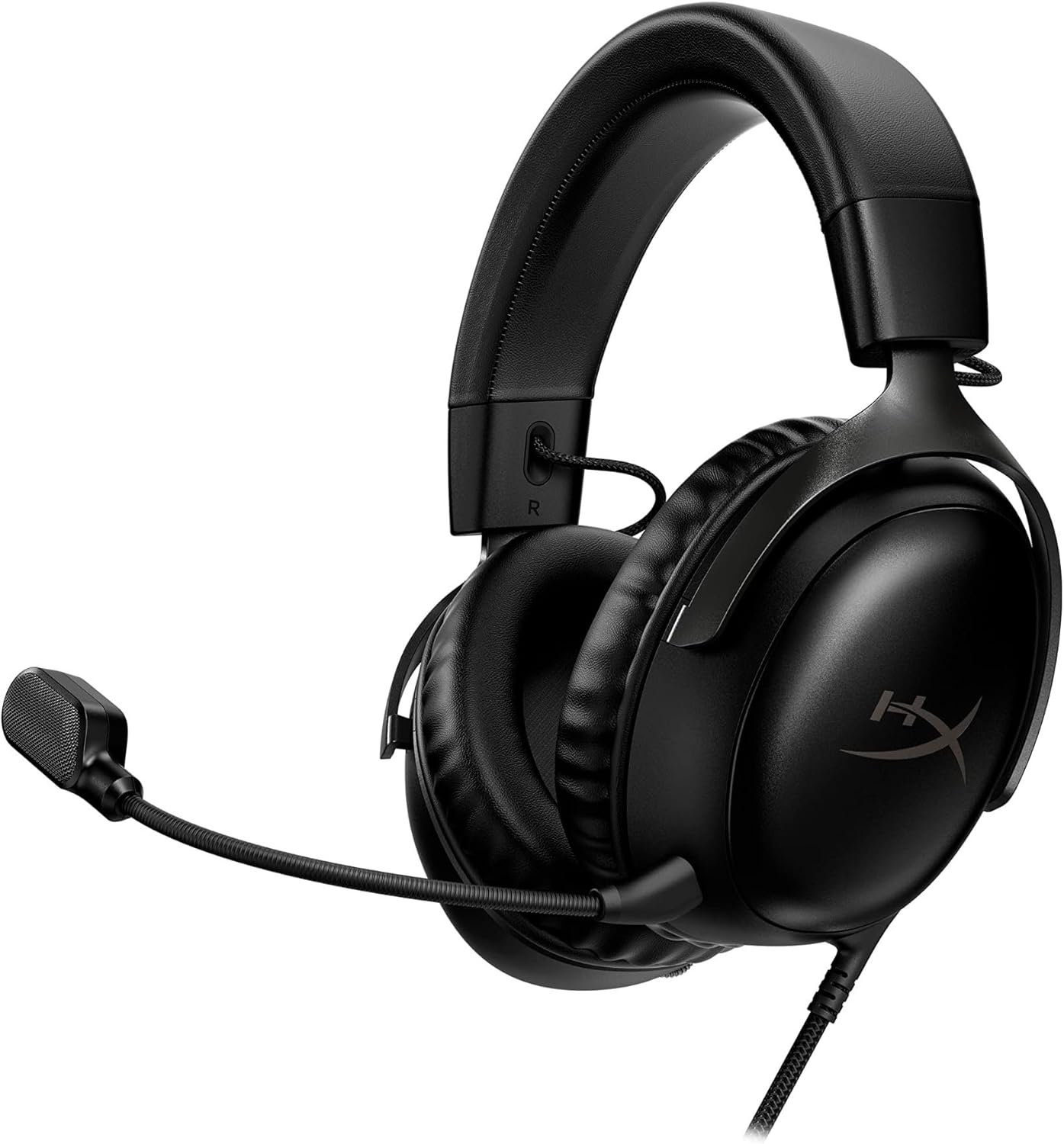
What's in the box & specs
The HyperX Cloud III Wireless ships with the headset, a detachable 10mm boom microphone, a USB-C 2.4GHz wireless dongle, and a charging cable. It's built around the same redesigned, angled 53mm dynamic drivers introduced in the wired Cloud III, tuned by HyperX's audio team for what the company describes as an accurate, detailed listening experience.
Key specs worth knowing: an over-ear, closed-back circumaural design, a steel-and-aluminum frame for durability, memory foam ear cushions wrapped in leatherette, onboard volume and mic-mute controls on the earcup, and compatibility across PC, PS5, PS4, Nintendo Switch, and Mac. HyperX's NGenuity software (Windows-only) adds EQ adjustment and DTS Headphone:X spatial audio support on top of the default tuning.
Comfort & build quality
Comfort is where the Cloud III lineup has consistently earned its reputation, and the Wireless model carries that forward. The plush memory foam headband and earcups, combined with a relatively light clamp, make it one of the more comfortable headsets for long sessions or larger heads, and the metal-reinforced frame feels durable rather than plasticky. The trade-off some reviewers note is limited earcup swivel, meaning your exact fit depends more on the headband and yoke adjustment than on the cups conforming to your head shape.
Sound quality & gaming performance
The default tuning carries deep, impactful bass you can feel in explosions and low-end effects, slightly pulled-back mids, and a modest lift in the upper frequencies that helps directional cues like footsteps and gunfire cut through. It's a fairly balanced, gaming-forward signature rather than a neutral audiophile one — some reviewers find midrange-heavy music sounds a little flat as a result, though it performs well for competitive titles and does a respectable job with spatial positioning even without switching on DTS Headphone:X or Windows Sonic.
NGenuity lets you nudge the EQ and toggle spatial sound modes, but the customization is limited compared to headsets with more granular parametric EQ or a deeper preset library — if you want to reshape the tuning significantly rather than just nudge it, this isn't the strongest headset in that respect.
Microphone quality
The detachable 10mm boom mic includes an internal mesh pop filter, noise cancellation, and a visible LED mute indicator. Voice comes through clearly for in-game chat and Discord calls, with a tone that favors clarity over natural warmth — good for cutting through game audio when calling out plays, less ideal if you want the headset to double as a streaming or podcasting mic. Most reviewers describe it as decent for the price bracket rather than a standout feature.
Battery life & connectivity
This is the headset's clearest strength: HyperX advertises up to 120 hours of continuous battery life on a charge, which independent reviewers confirm is a genuine standout in this price range and dramatically reduces how often you need to plug in. Connectivity, however, is the headset's most-repeated criticism — it connects only via a 2.4GHz USB-C dongle, with no Bluetooth option and no analog fallback. That means it's effectively a single-device headset; if you want to pair it with your phone or swap between a PC and console without re-plugging the dongle, you'll be limited. HyperX addressed this gap in the follow-up Cloud III S Wireless, which adds Bluetooth alongside 2.4GHz.
How it compares to alternatives
- Vs. the wired HyperX Cloud III: same drivers and comfort, but the wired version is notably cheaper (roughly $100 vs. $150-170) if you don't need to cut the cord and don't mind a wired-only connection to PC or console.
- Vs. HyperX Cloud III S Wireless: the S model is the direct successor, adding Bluetooth connectivity, a built-in backup mic, and stored on-headset EQ profiles, at a higher price (~$180). If multi-device flexibility matters to you, the extra cost may be worth it.
- Vs. Razer BlackShark V2 Pro / SteelSeries Arctis Nova 5: both competitors offer Bluetooth alongside 2.4GHz at a similar or lower price, which is the main reason several reviewers stop short of an unreserved recommendation for the original Cloud III Wireless.
- Vs. HyperX Cloud Alpha Wireless: HyperX's own higher-end model, generally positioned as the step-up pick with even longer battery life, at a higher price point.
Who it's a good fit for
Good fit if: you primarily game on one device (PC or a single console), you want long stretches between charges, and comfort during marathon sessions matters more to you than deep software customization or multi-device Bluetooth pairing.
Think twice if: you regularly switch between your phone, laptop, and console and want one headset to follow you across all of them, you want a mic good enough for streaming or content creation, or you're on Mac/Linux and won't be able to use the NGenuity software for EQ adjustments.
A few things to check before you buy
- Confirm current pricing — MSRP has been listed as high as ~$170 by some retailers and as low as ~$150 by others, and the headset regularly appears at a discount, so compare live prices rather than relying on the MSRP alone.
- Check regional availability and part numbers if buying outside the US — retailers list the wired and wireless versions under different part numbers (e.g., 727A8AA/727A9AA for wired colorways), so make sure the listing you're buying is actually the wireless model.
- NGenuity software is Windows-only — Mac and console players can still use the headset, but won't get the EQ/spatial-audio customization layer.
- It's single-device only — plan your setup around the fact that there's no Bluetooth or analog fallback if the dongle is in use elsewhere.